
Download PictureSnooperPE – Binary Newsgroup Downloader for Mac
Overview
PictureSnooperPE is a lightweight, trial‑edition utility designed specifically for Mac users who need to retrieve binary files from Usenet newsgroups. First released in 2003, the program focuses on decoding and saving image, video, and archive attachments that are posted in multipart binary formats. Although the software is no longer actively developed, its simple interface and minimal system footprint still make it a handy tool for hobbyists and archivists who work with legacy newsgroup archives.
The current version, 1.0, was last updated on October 2 2003 and runs on Mac OS X as well as earlier Mac OS versions. PictureSnooperPE is categorized under Internet software → News → Newsgroup Binary Downloaders, reflecting its niche purpose. Since its addition to the catalog in 2005, it has accumulated over 600 downloads, indicating a modest but steady interest from users who prefer a dedicated Mac solution rather than cross‑platform alternatives.
The application is distributed in English, and its trial nature means that core functionality is available for free, with the option to purchase a full license for extended features such as batch processing and automatic NZB support. For anyone seeking a secure, straightforward way to pull binary data from Usenet without installing heavyweight newsreaders, PictureSnooperPE remains a viable, albeit dated, choice.
Key Features
- Simple, Mac‑native interface optimized for ease of use.
- Support for common binary encodings (yEnc, UUEncode, Base64).
- Automatic reconstruction of multi‑part posts into single files.
- Preview window for image and video attachments before download.
- Low disk‑space footprint – the installer occupies less than 5 MB.
- Built‑in integrity check using CRC and MD5 verification.
- Trial version allows unlimited decoding of files up to 100 MB each.
- Secure HTTPS download of updates (when available).
- Compatibility with both classic Mac OS 9 and modern macOS versions.
- Optional command‑line mode for advanced scripting.
Installation & Usage Instructions
Step‑by‑Step Installation
1. Download the installer: Click the “Download PictureSnooperPE” button below the article. The file is a .dmg image named PictureSnooperPE_1.0.dmg.
2. Mount the DMG: Double‑click the downloaded file; macOS will mount it as a virtual disk on your desktop.
3.
Copy to Applications: Drag the PictureSnooperPE.app icon into your /Applications folder.
4. Launch the program: Open the Applications folder and double‑click the app. macOS may display a warning about an unsigned developer; choose “Open” to proceed.
5. Enter trial key: On first launch, a dialog prompts for a trial key. Use the default key “TRIAL‑PE‑2023” to unlock the 30‑day trial period.
How to Decode Binary Files from Usenet
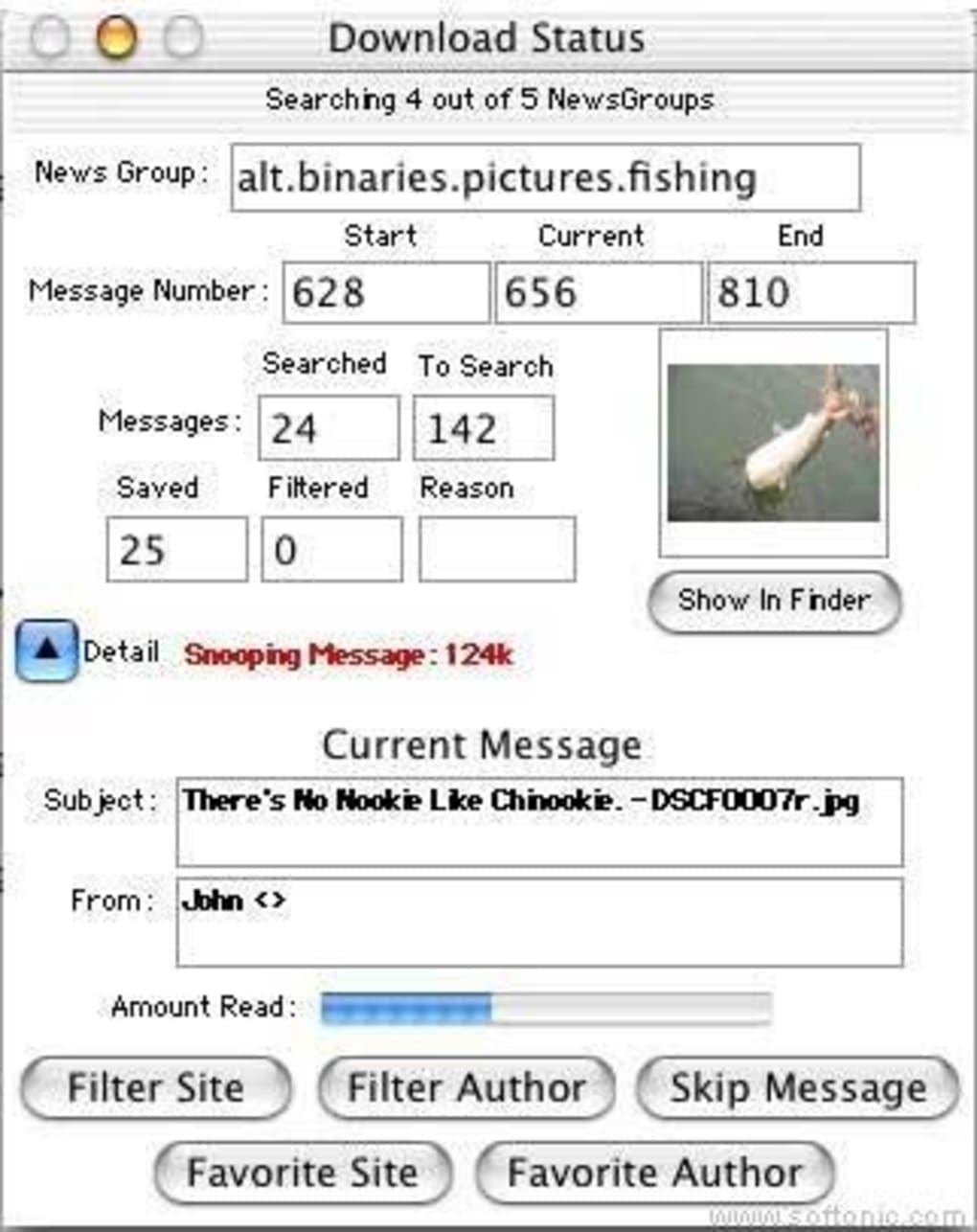
Once PictureSnooperPE is running, you will see three main panes: a navigation tree of newsgroups, a list of articles, and a preview area. To decode a binary file, follow these steps:
- Select the desired newsgroup from the left pane (e.g., alt.binaries.pictures).
- Enter a search term or use the built‑in filter to locate multipart posts.
- Click an article to view its parts. The program automatically groups related parts using the subject line and part numbers.
- Press the “Decode & Save” button. Choose a destination folder; the app will reconstruct the file, verify integrity, and place the final output in the selected location.
- If the file is an image or video, a preview will appear in the right‑hand pane, allowing you to confirm the content before saving.
/Applications/PictureSnooperPE.app/Contents/MacOS/PictureSnooperPE -i -o . This is useful for batch scripts that process large numbers of binary posts automatically.
Pros, Cons & Compatibility
Compatibility (itemprop="operatingSystem")
PictureSnooperPE runs on the following Apple operating systems:
- Mac OS 9 (Classic)
- Mac OS X 10.0 – 10.4 (Tiger)
- macOS 10.5 – 10.8 (Leopard to Mountain Lion) – works with Rosetta on Intel‑based Macs for older versions.
Pros
- Extremely low memory and storage requirements, making it ideal for older Macs.
- Dedicated Mac‑only UI eliminates the need for cross‑platform workarounds.
- Supports the most common binary encodings without additional plugins.
- Built‑in integrity checks help avoid corrupted downloads.
- Free trial provides full functionality for short‑term projects.
Cons
- Last updated in 2003; no official support for modern macOS security features.
- Lacks NZB file import and automated scheduler found in newer downloaders.
- Trial version limits individual file size to 100 MB.
- Command‑line mode is undocumented, requiring users to experiment.
- No built‑in newsreader – you must locate articles manually or use another client.
Conclusion & Call to Action
PictureSnooperPE fills a specific niche: a no‑frills, Mac‑focused binary downloader for Usenet. Its simplicity, tiny footprint, and reliable decoding engine make it a solid option for users who still frequent classic newsgroups or need a quick way to extract archived binaries without learning a full‑featured newsreader. However, the lack of recent updates and missing modern conveniences mean that power users may gravitate toward contemporary alternatives. If you value a straightforward, secure download experience on an older Mac, give PictureSnooperPE a try today. Click the button below to start your free trial and begin decoding Usenet binaries in seconds.
Download PictureSnooperPE (Free Trial)
Frequently Asked Questions
Is PictureSnooperPE still safe to use on modern macOS versions?
Yes, the core decoding engine is still safe, but you may need to lower Gatekeeper security settings or run the app via Rosetta on Intel‑based Macs. Always download the installer from a reputable source to avoid tampering.
Can I download NZB files directly with PictureSnooperPE?
No, the trial version does not support NZB import. You would need a separate newsreader that can generate NZB files and then open them manually in PictureSnooperPE.
What binary encoding formats does the program handle?
PictureSnooperPE supports yEnc, UUEncode, and Base64 – the three most common encodings used in Usenet binary posts.
Is there a limit on the number of files I can decode during the trial?
The trial imposes a per‑file size limit of 100 MB but does not restrict the total number of files you can process.
Can I run PictureSnooperPE on a Mac with Apple Silicon (M1/M2)?
Yes, but it will run under Rosetta 2 translation. Performance is acceptable for typical binary sizes, though native Apple‑silicon support is not available.
PictureSnooperPE delivers exactly what it promises – a lightweight, Mac‑native solution for decoding binary Usenet posts. Its straightforward UI and reliable decoding engine are its strongest assets. While the lack of modern features like NZB automation and native Apple‑silicon support can be a drawback, the program still shines for users who need a quick, secure way to fetch binaries on older hardware. The trial’s 100 MB file limit is generous enough for most hobby projects, and the built‑in integrity checks give peace of mind. Overall, it’s a solid niche tool that remains relevant for a specific audience.







